
ELEMENTOR ADDONS

Elementor
OpenStreetMap
Plugin (No Google API Required)

Tired of managing Google API keys and unexpected billing? Themecanvas uses OpenStreetMap to bring powerful, interactive maps to Elementor — completely free to run, with no API key, no billing account, and no surprises.
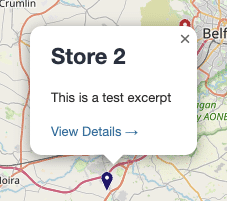
Elementor OpenStreetMap plugin frontend map display

Simple Setup

Quickly install and configure your maps with zero coding. Start mapping locations in minutes, with simple controls designed for developers and creators.

Business Growth

Expand your reach by showcasing all your locations. Our Elementor maps help your customers find you faster, driving more engagement and sales automatically.

Mobile Support

Fully responsive maps ensure users get a smooth experience on any device. Perfect for smartphones, tablets, and desktops without extra setup.

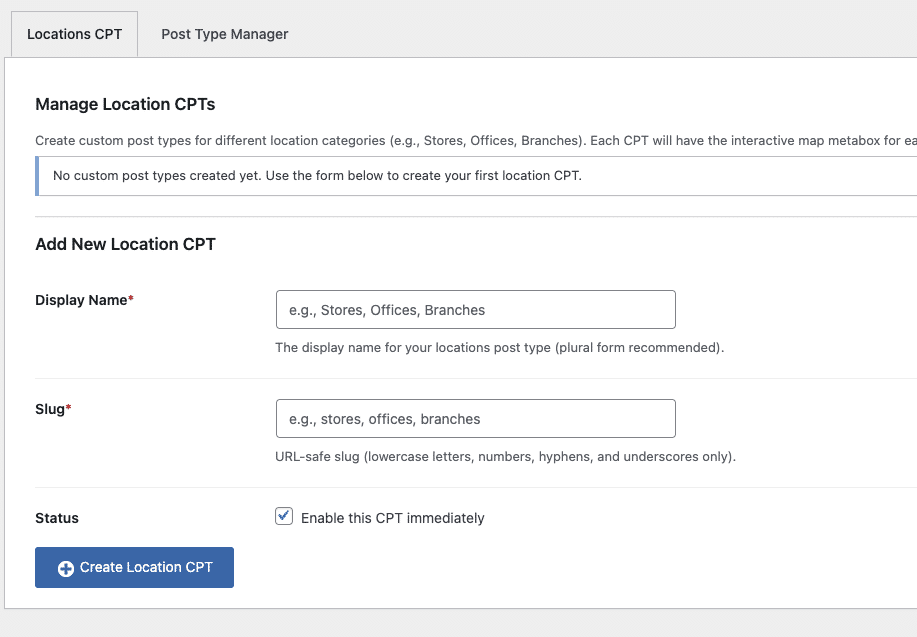
Themecanvas WordPress map plugin dashboard
Elementor OpenStreetMap plugin frontend map display
Custom Post Type Support

Assign the Map to any existing Post Type using the Post Type Manager or create Custom Post Types on the fly with the built in Location CPT. Great for creating “Stores” or “Shop” Locator.

WE SUPPORT

Elementor OpenStreetMap plugin frontend map display
Dashboard

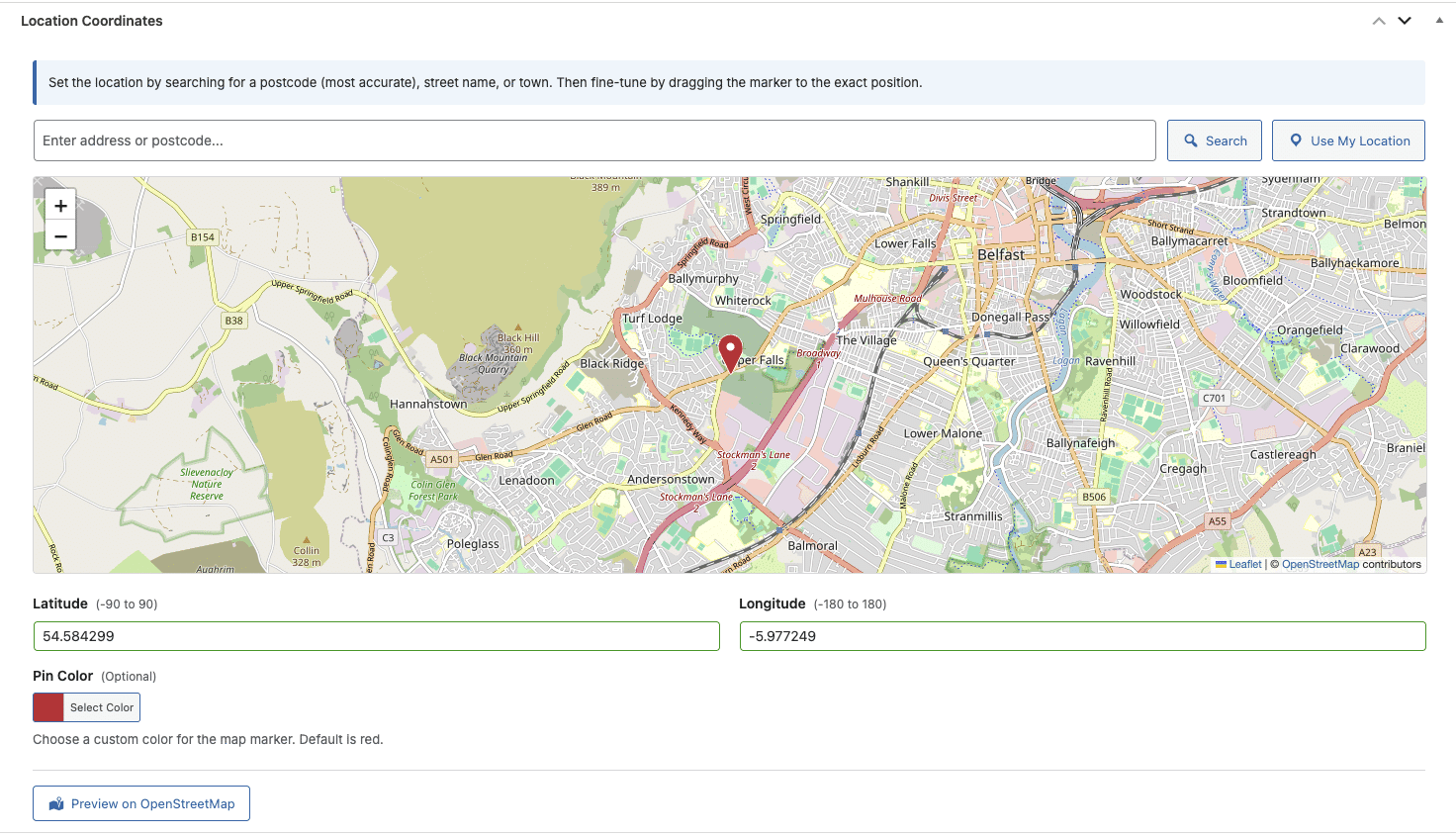
A fully featured dashboard integrated into any Post Type or Custom Post Type. Allow individual location preview, address lookup, Longitude & Latitude, Custom Pin Colour.
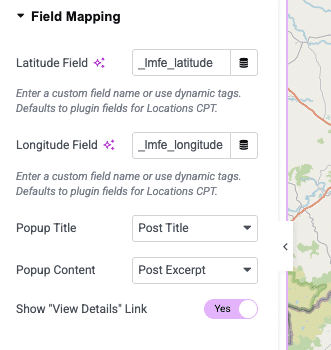
Or simply map in the Elementor Editor with existing Dynamic Content from any Custom Field including ACF Fields.

WordPress location manager dashboard
Map pin colour customisation in WordPress
Custom post type map location editor
Custom post type map style editor in Elementor
Longitude and latitude location fields in WordPress
Map pin colour customisation in WordPress
Elementor Editor

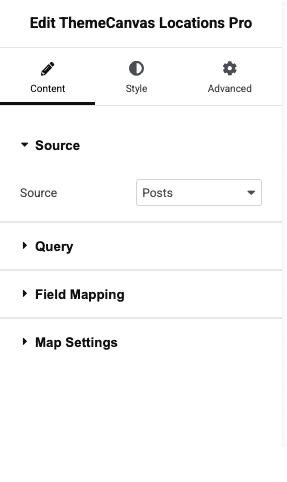
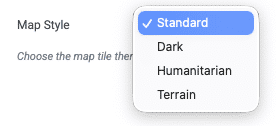
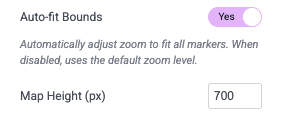
Customise your Map Styles, height and more inside the Elementor Editor. Choose your Source and map by Dynamic Content or simply add locations manually inside the Editor.

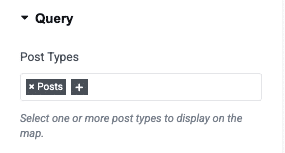
Query by All, Include by or Exclude by (Post ID).

Include a link to single post page for CPTs.

Need more help?

We love to help .. Send us an email or open a support ticket.

Sales

Get personalized advice for your business. Our team will guide you through features, pricing, and the best options to fit your needs.

Help & Support

Need assistance? Our dedicated support team is available to help you troubleshoot, optimize, or answer any questions about your maps.

Solutions

Learn how businesses like yours use our tools to create interactive, location-based experiences that engage customers and drive growth.

Testimonial

Trusted by 1000’s of agencies and creators worldwide.
Read what they have to say.